
Zyniq View Reference Manager
Intelligent View Referencing & Synchronization
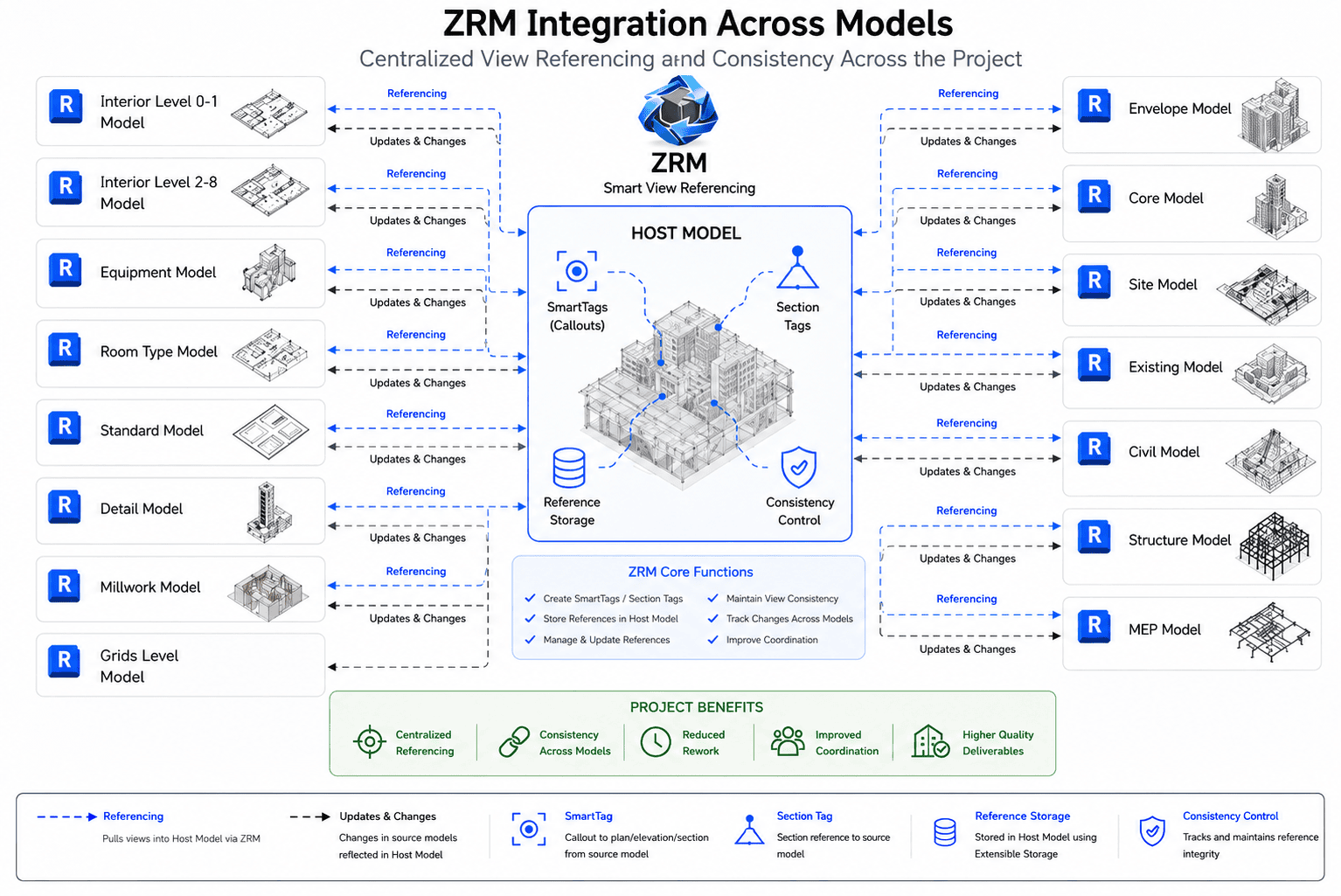
In a multi-model Revit environment, the view you need to reference may live in a completely different model.
That’s where Zyniq View Reference Manager (ZRM) comes in.
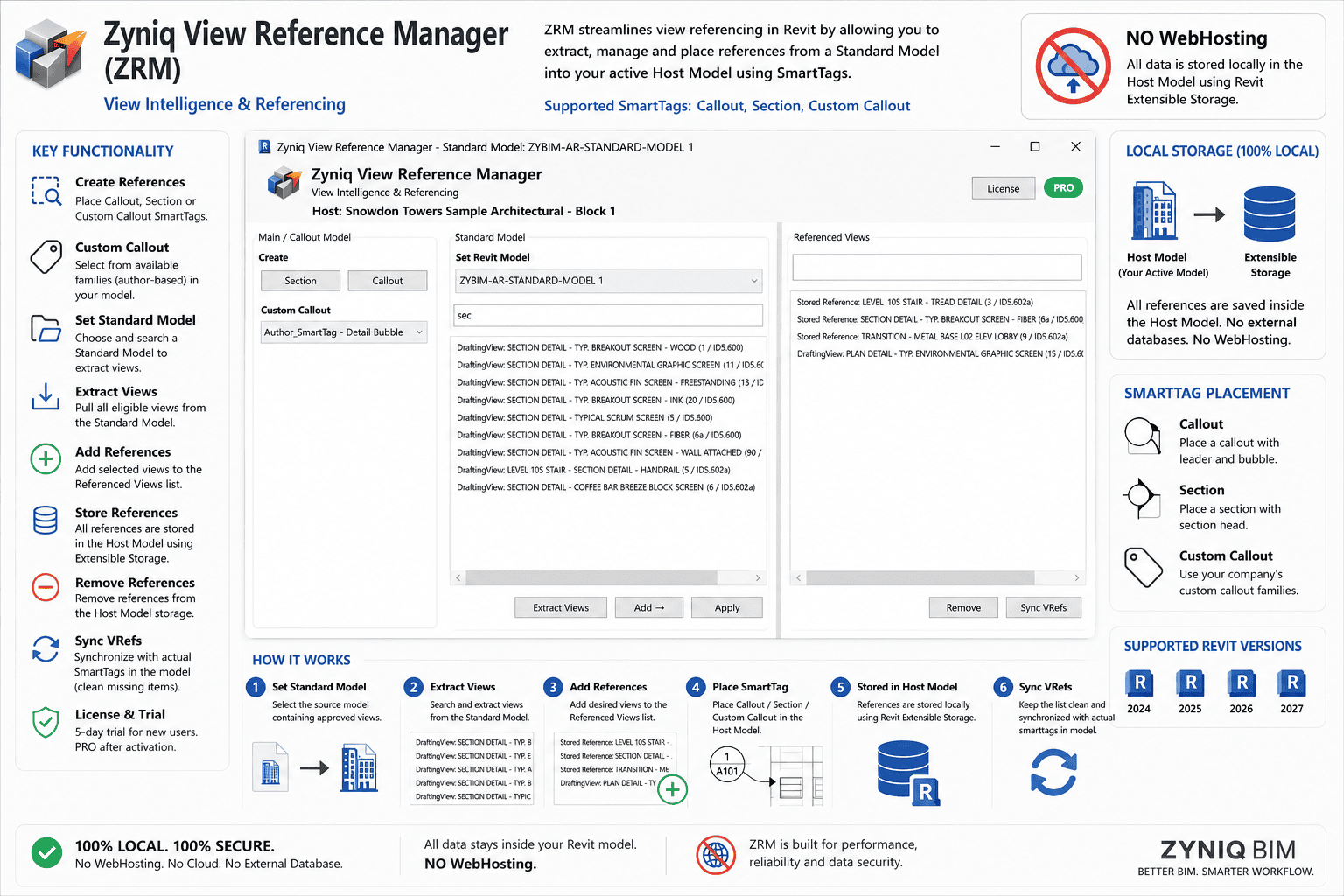
With ZRM, you can create and manage SmartTag references to views across separate Revit models - while keeping the referencing workflow organized from the Host Model.
Custom Callout
Use Your Standards. ZRM Manages the Reference.
Custom Callout
Your Graphics. Your Standards. ZRM Manages the Reference.
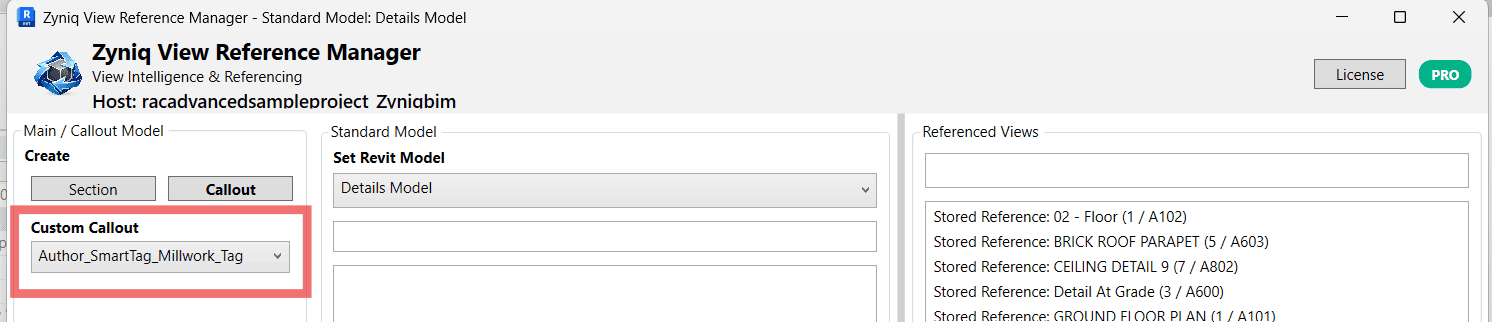
ZRM’s Custom Callout allows teams to use their own Revit callout graphics while retaining ZRM’s cross-model reference intelligence.
Instead of requiring a fixed graphical standard, ZRM can use a compatible Generic Annotation family as the callout head. This allows firms to maintain their own office standards, symbols, fonts, linework, and graphical appearance while ZRM manages the information behind the reference.
Select the desired family from Custom Callout, choose the target view from the Standard Model, and ZRM creates and manages the cross-model reference.
ZRM then maintains the relationship between the callout and its referenced view, including Detail Number, Sheet Number, source information, tracking, and synchronization.
Setting Up a Custom Callout Family
Custom Callouts should be created as a Revit Generic Annotation family.
The custom family represents the callout head. ZRM manages the callout boundary separately, allowing the boundary to be positioned and adjusted independently from the annotation graphic.
For ZRM to manage the reference information correctly, add the following instance parameters to the Generic Annotation family:
zyniq_detail_no— Referenced view Detail Numberzyniq_sheet_no— Referenced Sheet Numberzyniq_title— Referenced view titlezyniq_source_key— ZRM source/reference identifierzyniq_status— Optional reference status
The parameter names should be maintained exactly as shown so ZRM can identify and populate the appropriate information.
Family Naming
Give each custom callout family a clear and unique family/type name. ZRM reads the available compatible callout symbols and presents them in the Custom Callout dropdown.
For example:
Company_Callout - Standard
Company_Callout - Presentation
Company_Callout - Existing
There is no requirement to rename a custom family to Zyniq's standard SmartTag family names. The selected custom callout is passed to ZRM as the symbol to use for that reference.
ZRM's supplied standard callout system uses:
Callout Box:Zyniq SmartTag_Callout Box
Callout Head:Zyniq SmartTag_Callout Head
Custom Callout mode replaces the standard head with the selected compatible Generic Annotation while ZRM continues to manage the reference.
Recommended Workflow
Create Generic Annotation → Add ZRM Parameters → Load into Revit → Select in Custom Callout → Select Referenced View → Create → Sync VRefs
Once created, the callout becomes part of the ZRM reference-management system. If the referenced view's Detail Number or Sheet Number changes, Sync VRefs updates the managed reference information without requiring the callout to be recreated.
Keep your office graphics. ZRM keeps the reference connected.
Learn Zyniq BIM
Product Tutorials & Workflows
Explore step-by-step video tutorials for Zyniq BIM Managers. Learn how to configure features, manage Revit workflows, and get the most from Zyniq View Reference Manager and Zyniq Filter Manager.
Extensible Storage
Zyniq View Reference Manager (ZRM) leverages Revit Extensible Storage to securely store application data directly within the Revit model. By embedding information inside the project instead of relying on external files or databases, ZRM ensures that view reference data remains consistent, portable, and available to every team member working on the model.
This approach provides a reliable foundation for project data management. Information is automatically preserved when the model is saved, shared, or transferred, eliminating the risk of missing configuration files. Extensible Storage also enables ZRM to retrieve data efficiently while providing a scalable architecture that supports future enhancements without affecting existing projects.