
Advanced Filter Management for Autodesk Revit
Zyniq BIM Filter Manager
Built for BIM professionals, Zyniq Filter Manager provides a centralized workspace to create, edit, organize, rename, duplicate, and delete Revit view filters with confidence. Quickly transfer filters between projects, assign them to multiple view templates, manage graphic overrides, and maintain consistent visualization standards across your BIM environment. With intelligent rule editing, comprehensive usage analysis, and support for Revit 2024–2027, Filter Manager eliminates repetitive manual work and helps teams maintain cleaner, faster, and more efficient project workflows.
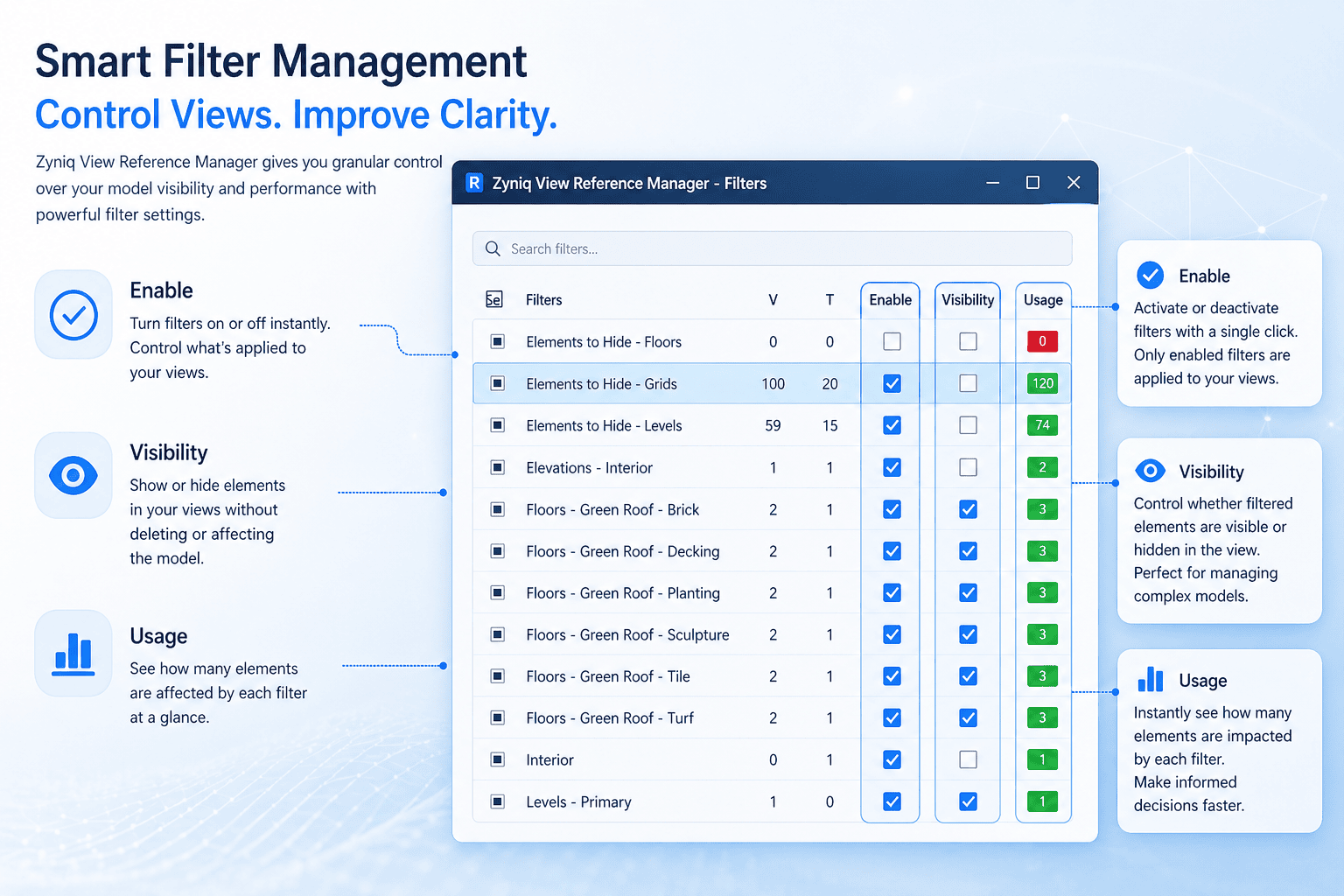

Create and edit Rule-Based & Selection Filters
Build and manage Revit rule-based and selection filters from a single, intuitive workspace. Configure categories, parameters, and filter rules with ease while maintaining complete control over project visualization standards.

Transfer Filters Between Revit Projects
Quickly transfer filters between Revit projects without rebuilding them manually. Preserve filter definitions and streamline BIM standards across multiple projects, templates, and disciplines.

Batch Assign Filters to Multiple View Templates
Apply project filters to multiple view templates simultaneously, eliminating repetitive manual updates and ensuring consistent graphical standards throughout your documentation set.

Duplicate Filters with Graphic Overrides
Duplicate existing filters together with their graphic override settings to create new filter variations in seconds, maintaining visual consistency while reducing repetitive setup work.

Rename and Organize Filters Efficiently
Manage large collections of project filters with intuitive rename and organization tools. Keep your projects structured, searchable, and easier to maintain throughout every project phase.

Dynamic Rule Editor with Category & Parameter Support
Create sophisticated filter rules using categories, parameters, and operators through an intelligent rule editor that simplifies complex filter creation while providing maximum flexibility.